SWIB25 took place as an online conference on 17–19 November 2025. Slides and recordings for almost all talks can be found in the respective topic for each talk, linked from the SWIB25 Programme.
Once again, we are very happy how SWIB turned out. We had the opening keynote by Brewster Kahle of the Internet Archive, several hands-on workshops/tutorials on the first day, and 16 regular presentations during the main conference. In the lightning talk session we had five talks.
As we already did for SWIB24, we’ll be sharing in this post some of our experiences, some numbers and lessons learned for SWIB25.
Forum preparation
It was the second SWIB conference that used this forum – based on the popular Discourse open source software – for conference communications. After the first run in 2024, we put a lot of work into preparing the forum for a smooth conference experience, benefiting from the wide selection of Discourse plugins.
For one, we disabled the Who’s online plugin that constantly shows which people are logged in to the forum. It just took too many server resources for a comparatively small benefit.
Improving the orientation on the forum
Admittedly, Discourse is not the easiest software to become accustomed to. If you haven’t used it very often yet and if there is already lots of content on the forum, you might get lost and take some time to find the things you need. With some plugins and configuration we tried to make it easier for people to get around the SWIB25 forum.
Banner
We added a banner for the SWIB25 conference that would always be displayed and offer links to the most prominent pages (Welcome, Programme, Speakers, Livestream, Registration, History, News):

Simplify the side navigation
For the navigation on the left-hand side of the screen, we used the Discourse Doc Categories Plugin to only show the pages that are directly relevant to SWIB25 participants.
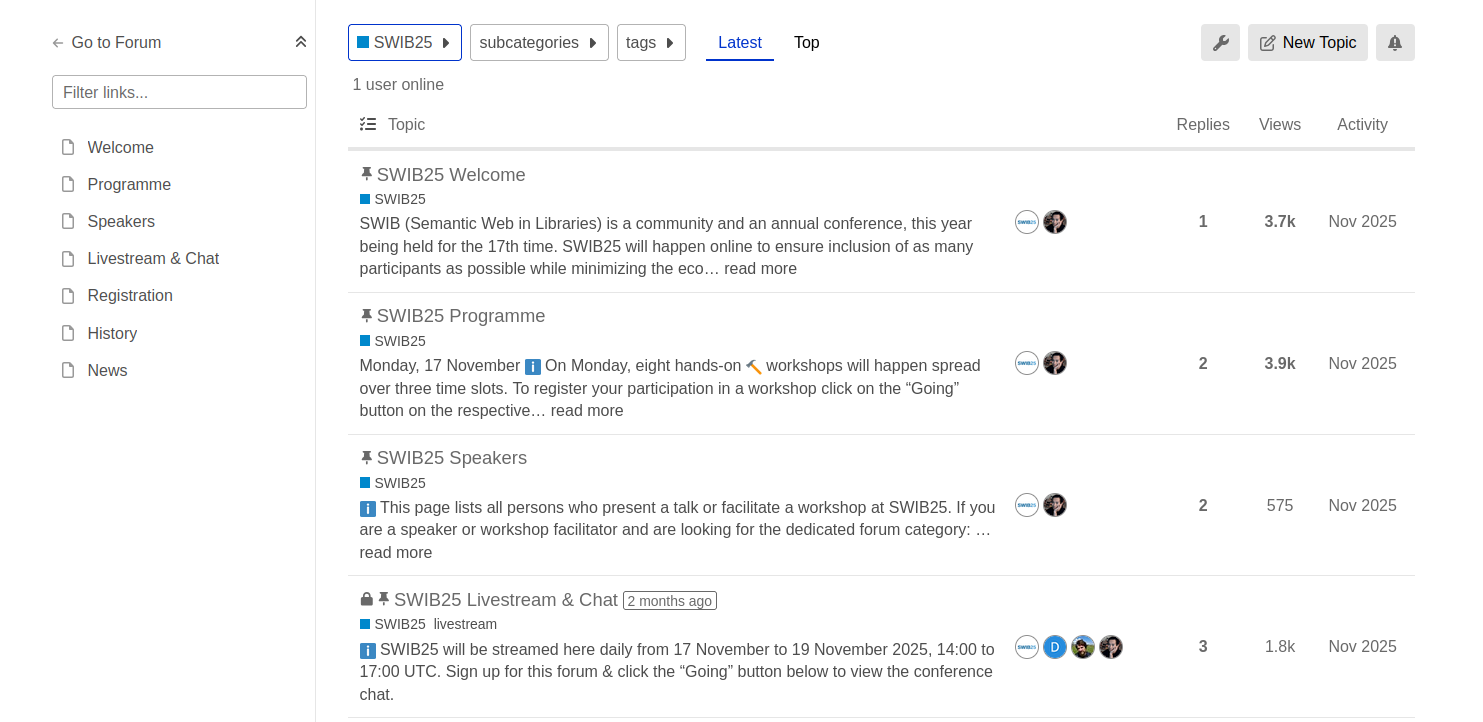
This being the same as in the banner, it made things redundant, and in the future we will probably not use both the banner and the Doc Categories plugin at the same time (see lessons learned).
Live Stream plugin
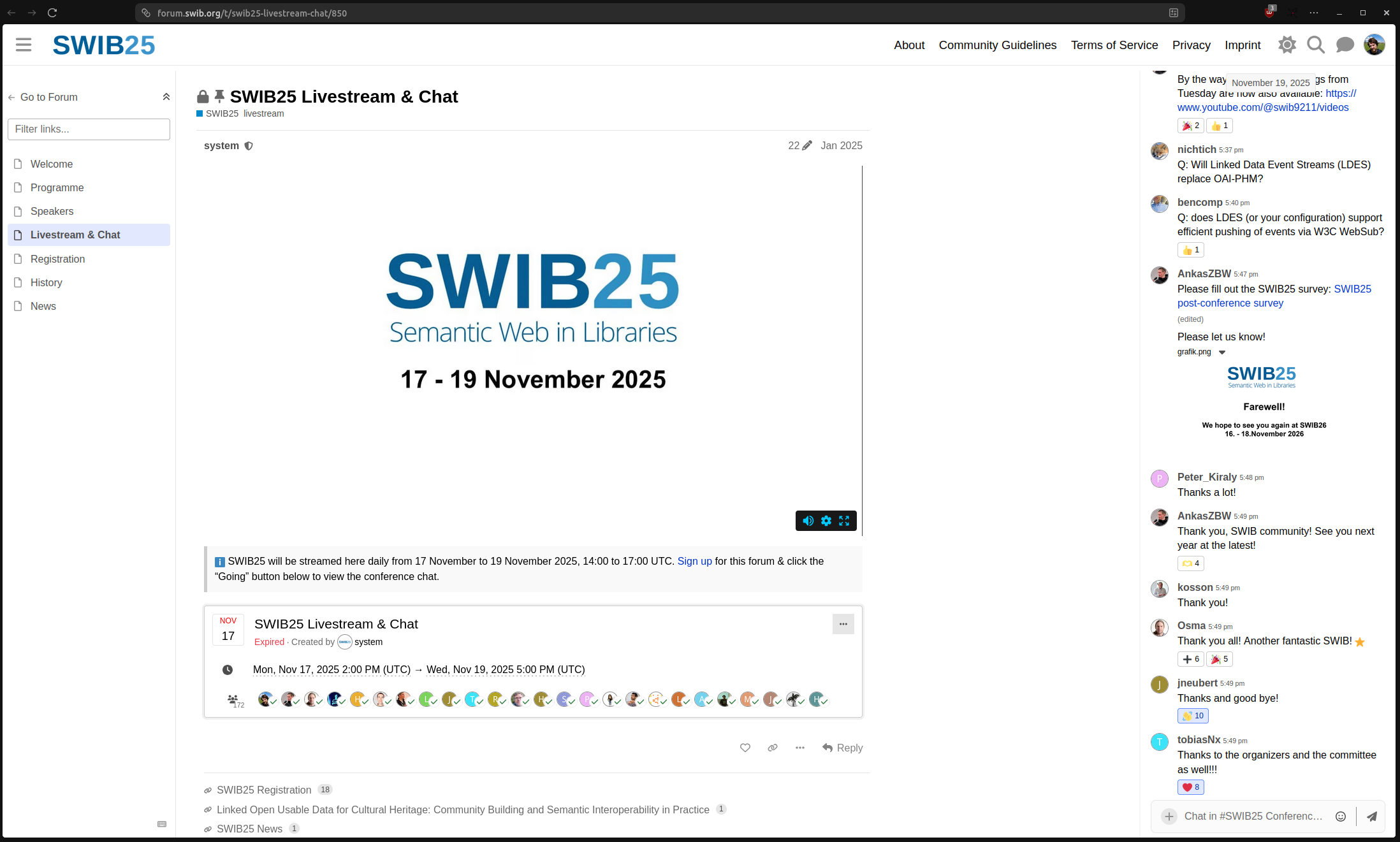
For embedding the livestream in the forum accompanied by a conference chat, we used the Discourse Livestream Plugin. This enabled us for the first time ever at SWIB to offer up the livestream along with a chat in one webpage:
Statistics
Forum activity
On the three conference days
- 286 users logged in to the forum,
- 46 posts were published in the forum,
- 120 times people reacted to a post.
Conference Chat
On the three conference days,
- 218 messages were posted in the conference chat,
- 214 people were active in the chat,
- 217 times people reacted to a chat message.
Live stream
We estimate that around 300–350 people accessed the SWIB live stream. As we do not track SWIB participants, it is difficult to get concrete numbers. We can query the access logs of the SWIB forum, though, and for the three days of the conference we get the following statistics for the page https://forum.swib.org/t/swib25-livestream-chat/850:
| unique_logged_in_users | anonymous_views |
|---|---|
| 109 | 263 |
So we know that 109 different logged-in users viewed the live stream at least once and we know that Discourse counts 263 unique anonymous users. How many of them might be the same people watching from different devices/locations is unclear. 300–350 people having tuned in to the live stream at least once is a safe, conservative estimate.
Post-conference survey
Unfortunately, participation in the SWIB25 post-conference survey was very low even compared to the SWIB24 survey which already had a low turnout. Around 25 people participated in the survey, and you can check the results in the forum topic.
Lessons learned
- Generally, SWIB is lucky to have a strong number of regular participants who value the conference, submit proposals and show up each year. Thank you!
- Forum navigation: It probably was a bit too much to both add a banner for a permanent overview over the most important conference pages and only show the main pages in the left navigation bar by using the documentation categories plugin. Next year, we will only add the banner.
- The experience wasn’t ideal for everybody with the livestream and chat page due to some display problems, especially on smaller displays. We will have to look into the CSS next time to improve it.
- We will have to find some incentives for engagement in the forum e.g. for filling out the survey.